
Permafrost's dog can carry supplies, but the current inventory-opening key, storage capacity, and exact transfer menu are not confirmed here. Use the interaction prompts and Controls screen in your installed build. Do not assume a summon or command key opens storage, and do not plan a gathering trip around an unverified slot count.
In co-op, there is one dog per world and it belongs to the host. Guests may see a moving harness without the dog because of a known visibility issue. The host should first check the companion interaction; guest inventory-access permissions are not confirmed, so the host-owned dog is not a guaranteed separate backpack for every player.
Identify the dog before trying inventory controls
The dog is a companion with several intended functions: scouting, warning of danger, and carrying supplies. Those functions do not all imply the same interaction. Summoning, commanding, and moving items are different actions.
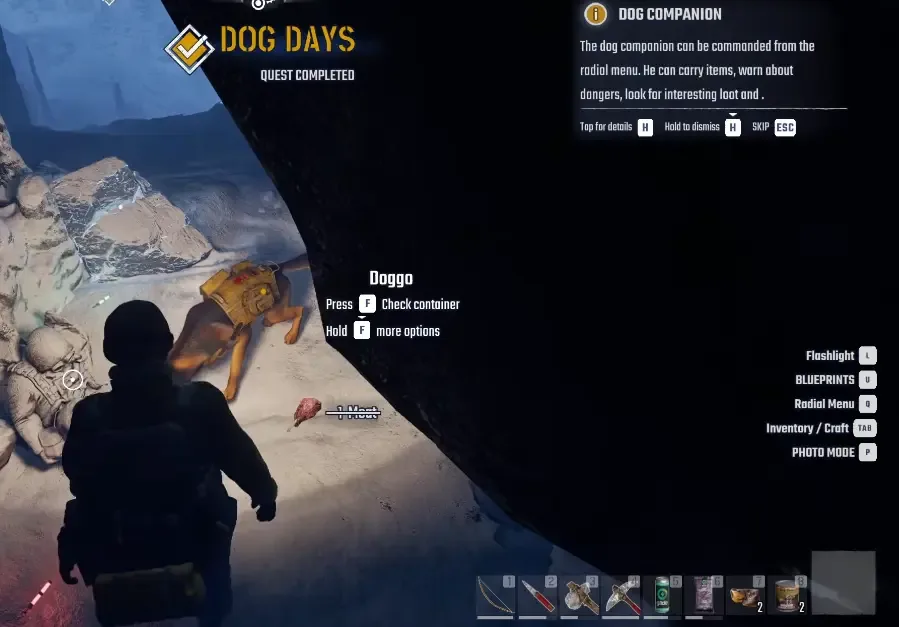
Companion reference: inspect the interaction prompt in your current build rather than assuming a fixed key.
Start in a place where the companion and the interaction prompt are easy to see. If you are a guest and only the harness is visible, ask the host whether the dog is present on their screen. That separates a guest-side visibility fault from the absence of the companion in the world.
Do not repeat the rescue quest merely because the guest cannot see the dog. The current world has a single host-owned companion, not one independently rendered dog for each guest character.
Check the current prompt and Controls screen
Read the action displayed when you approach the companion. If the game exposes a supply or inventory interaction, use the prompt assigned to that action. If it only shows a command or summon action, do not rename that action as a verified storage shortcut.
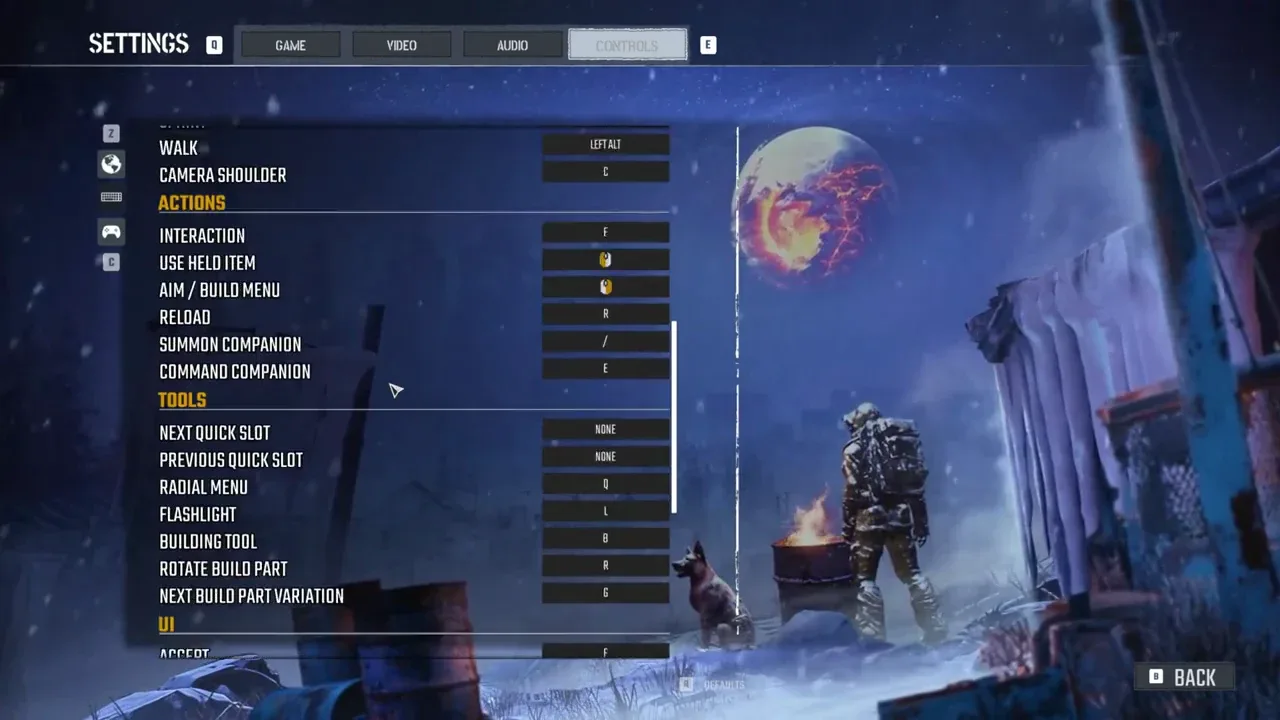
Controls reference from a preview capture; the shown assignments are not confirmed current default keys.
Open Settings and inspect Controls when the displayed key is unclear or your bindings have changed. Look for the relevant interaction, companion, and inventory actions. Use the key shown by your own client rather than a fixed key copied from a preview layout.
A control list can identify what a key is assigned to, but it does not prove that the key opens a dog-specific inventory. This is the limit of the information available: no exact sequence such as holding a particular letter, selecting a named backpack option, or switching to a numbered dog tab is established for the current build.
Verify a small transfer before loading important supplies
If your current interaction opens a storage interface, check its labels and item-movement prompts before transferring a large load. Use an ordinary, replaceable supply for the first check, rather than a quest key or the only item needed for a distant objective.
Follow the interface's own movement action. Then inspect the two inventories and confirm where the item ended up. If you can move it back, confirm that return action as well. This is a small in-game verification of the interface you actually see; it is not a claim that every guest has the same access or that the dog has a particular capacity.
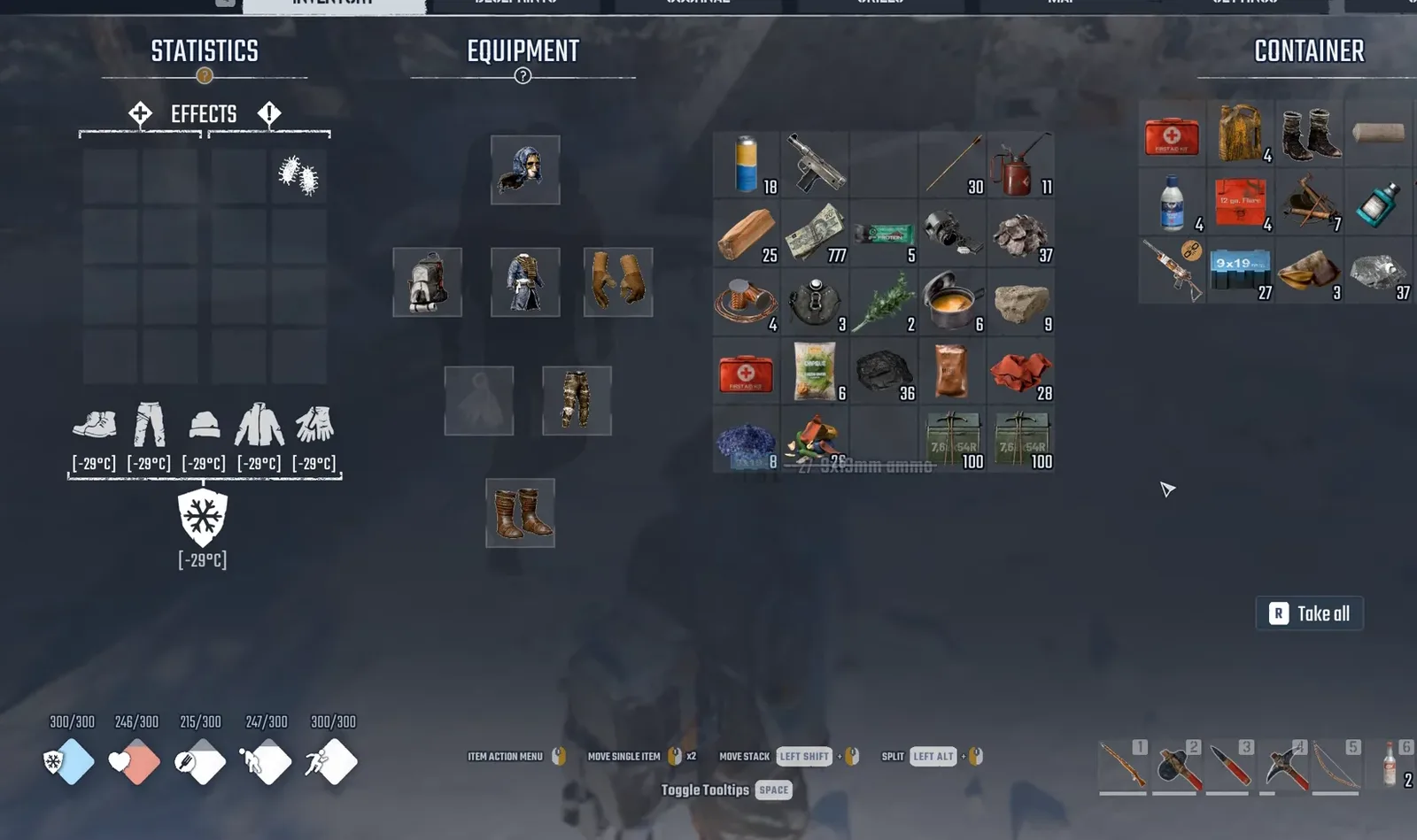
Dog-pack interface reference from a captured play session; use the prompts and limits displayed by your installed build.
Keep essential immediate-use supplies on your character until you know you can retrieve the carried items when needed. The dog carrying a resource does not establish that a workbench automatically counts that resource in your personal crafting inventory. Check the recipe's available ingredients before deciding the material is ready to use.
Separate carriage from crafting and storage planning
Use the dog as additional transport when its current interface is working. Continue to plan around the items your character needs for the next action, the processing station you must reach, and the place where the haul will be stored afterward.
For example, a dismantlable item still needs a dismantling workbench to become scrap. Putting the item on the dog does not perform that processing step. Likewise, carrying more material is useful only if you can retrieve it for the intended recipe or storage stop.
Do not infer inventory rules from the visual harness alone. Its appearance does not establish a slot count, weight limit, upgrade route, automatic crafting access, or permanent persistence guarantee. If the current menu does not show one of those properties, leave it out of the trip budget.
Stop when the interaction itself is unavailable
If there is no usable storage prompt or the interface does not allow the expected transfer, record exactly what appears. Include whether you are the host or a guest, whether the dog is visible, and which action the screen actually offers.
An invisible dog is a separate multiplayer issue; an unverified storage key is an information gap; an item failing to transfer is an interaction result. None of those establishes that deleting the world, using a mod, or pressing an unrelated key will restore inventory access.
The supported boundary is clear: the companion carries supplies, while current storage controls and guest permissions need to be checked in the installed game. Once the interface is available, use its displayed actions and confirm a small transfer before trusting it with the important load for your next expedition.