Permafrost character transfer to a friend's world is not supported as a way to bring your separate solo character into a friend's save. Characters are world-bound. Join the friend's world with the character belonging to that world, and return to that same world later to continue that guest character's progress.
The host owns the world state and must be online for guests to play there. Opening a different world, even with the same friend as host, does not make it the original shared save. There is no verified manual character-migration procedure here, so do not copy or rename save files expecting a supported transfer.
Separate the character from the world it belongs to
Two kinds of continuity matter in co-op. The host controls the shared world, including its story progress. A returning guest also has character progress and gear associated with that host world. Keeping one does not mean it becomes available in every other world.
| Situation | Expected boundary |
|---|---|
| You leave solo play and join a friend's world | Your separate solo character does not carry across |
| You return to the same host world | You continue the guest character associated with that world |
| The same friend creates another world | It is a different world, not a continuation of the first |
| A different friend starts hosting | Do not assume your previous guest character migrates |
| The host closes the game | Guests cannot independently continue the host-owned world |
The most useful check is therefore the world identity, not just the host's name. Before a group resumes, confirm the host selected the original world. If everyone only remembers who hosted, a second save can look like missing progress when it is actually a different session context.
Join a friend's world with the right expectation
When you first join a world in which you have not played, expect a character appropriate to that world rather than an imported solo inventory. Your earlier solo hours do not establish that the new guest should arrive carrying the same equipment.
The host world can already have story progress when you join. Guests synchronize with that world's progress, quests, and quest rewards. This world synchronization does not mean the game imports the items and character development from a separate solo save.
For example, if you spent an evening alone and then join a friend's established world, the important distinction is between the friend's current story state and your own solo character. Joining can put you into the friend's progressing world without transferring your solo backpack. Those are different outcomes.
Avoid diagnosing a fresh guest character as data loss until you have answered whether you previously played in that exact host world. If the answer is no, the transfer limitation already explains why the solo equipment is absent.
Return through the same host save
For a continuing group, preserve the original hosting arrangement and world choice. The host should open the same save through Host Multiplayer, and the guest should join that session. A solo load does not make the world joinable.
Use this short continuity check:
- Confirm which friend owns the original world.
- Have that friend choose the original save under Host Multiplayer.
- Confirm the session is open and the host is online.
- Join the intended session.
- Inspect your character, inventory, and the shared world's current objective.
- If something is missing, record exactly which state differs from the previous session.
Do not create a new world as a routine reconnection step if the purpose is to preserve the group character. A successful connection to a fresh world can test multiplayer access, but it cannot demonstrate continuity with the earlier save.
The host also needs to reach the cabin before guests can enter a newly started world. That join prerequisite does not change the world-bound character rule. Completing the opening sequence in a separate solo world will not turn that solo character into the guest character for your friend's save.
Account for the host playing while you are away
The host can continue playing their world without every guest present. When you return, you synchronize with that world's progress. The shared story may therefore be farther along than it was when you last left.
That is different from your personal gear disappearing. Compare the two separately: has the quest state advanced because the host continued, and is the guest character's expected inventory present? A changed objective can be consistent with host-owned progress while an unexpectedly empty returning inventory still needs investigation.
Before leaving a session, record the world name and any important inventory or objective state you may need to compare later. This is a practical record, not a replacement save mechanism. It makes a discrepancy concrete without guessing how the internal save files work.
The host should still perform main story and Skinwalker quest steps under the current guidance. Guest synchronization is not a promise that every guest interaction can update every story step. Keep that responsibility clear when the group returns to a quest already in progress.
Treat missing returning gear as a separate problem
If you definitely return to the same host world and your expected character progress or gear is absent, the transfer rule alone does not explain it. An early developer response identified unexpected missing guest gear as behavior worth reporting rather than the intended result.
Before changing files or restarting the world, check:
- The host selected the original save.
- You joined the intended session rather than another world with a similar name.
- Both clients have installed the available update and restarted.
- The missing items belonged to this guest character in this world.
- You can describe what was present before leaving and what is absent now.
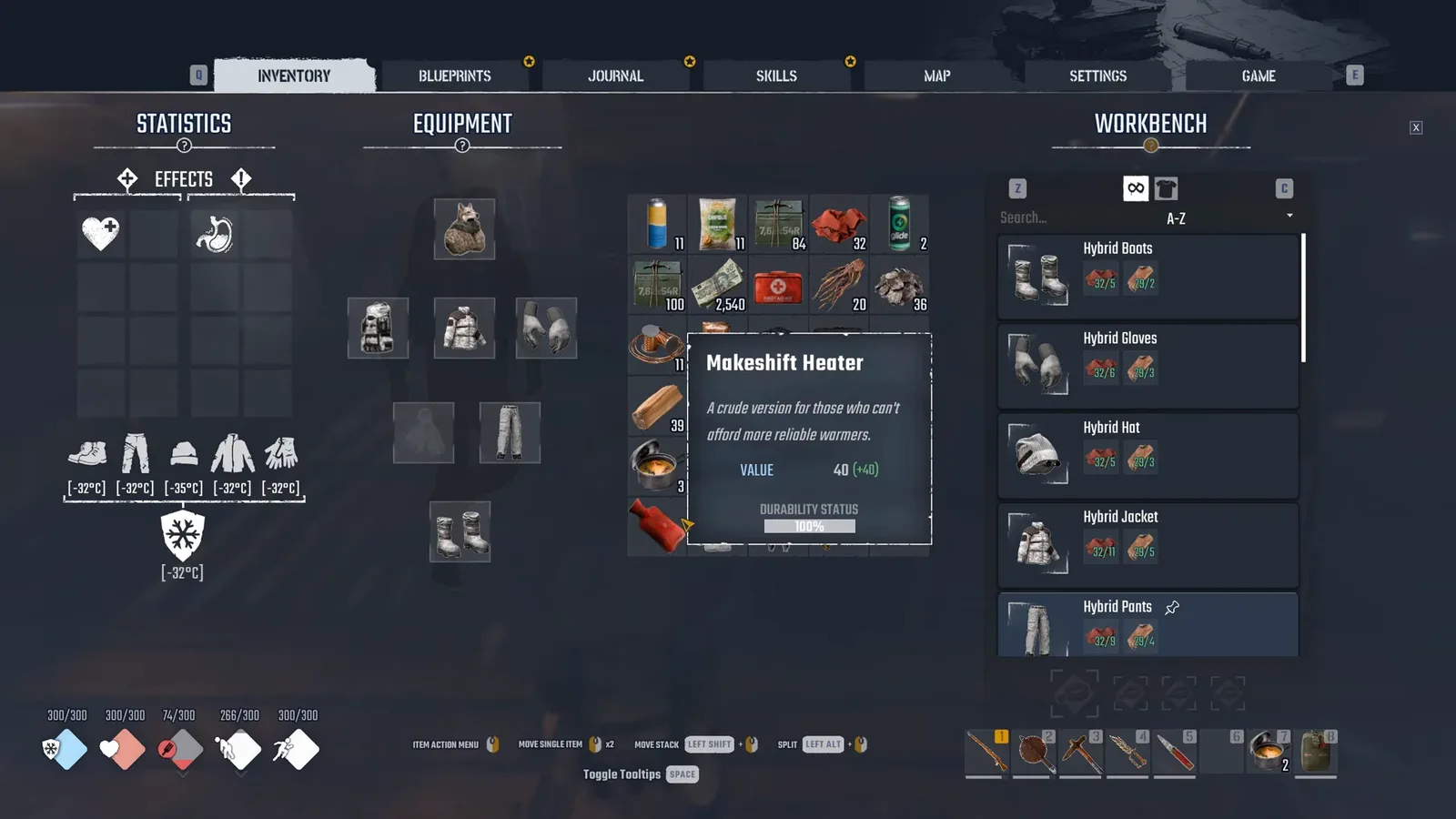
Inventory reference: compare your own equipment and carried items after rejoining; the pictured items and values describe this capture only.
Keep the claim narrow. If one item is absent, record that item rather than saying all progress was lost. If the whole character appears fresh, describe that state and the world-selection check. A precise comparison is more useful than trying unrelated connection changes after you have already joined successfully.
There is no verified recovery command, file-edit procedure, or guaranteed rollback in the supplied current guidance. Preserve the existing world and report the discrepancy with the relevant session details instead of inventing a repair.
Choose a shared world before investing in the character
The practical solution to the transfer limitation is choosing the group world early. If the aim is to build one shared progression path, select a regular host and use that world for the sessions that belong to the path.
Solo play can remain a separate playthrough. Treat its character as separate instead of expecting it to become a portable co-op profile later. Likewise, testing a second friend's world creates another context; it does not establish a supported route for moving your original character between hosts.
If you want to change the group's host, recognize the current uncertainty before acting. No supported host-transfer or character-migration workflow is established here. A copied file that happens to open would not, by itself, prove correct ownership, complete quest synchronization, or preserved guest characters.
The verified continuation path is straightforward: the original host opens the original world, and the guest rejoins it. Use that path when the goal is retaining the character associated with the shared playthrough, and separate any unexpected missing state from the normal boundary that prevents importing a solo character.
Sources and version notes
Sources checked: 12 October 2026. Verification labels refer to the cited documentation and its stated limits; this site has not independently tested these steps in the game. Compare the information with your installed build.
- Co-op Guide: How to Host, Join and Fix Connection Issues :: Permafrost General Discussions — Developer guide. Scope: Host Multiplayer and Join Multiplayer Sessions menus; password/player slots.
- Cannot connect a multiplayer game — Developer replies and player reports. Scope: Player reports character gear missing on joining another host; developer explains host world/character context and directs player-hosted session use.